

If you’ve searched for Vidmate, you’re probably looking for an easy way to download videos for offline use.
Here’s the honest answer:
VidMate is powerful—but it comes with risks you should understand before using it.
This guide breaks everything down in simple terms so you can decide if it’s right for you.
What Is Vidmate?
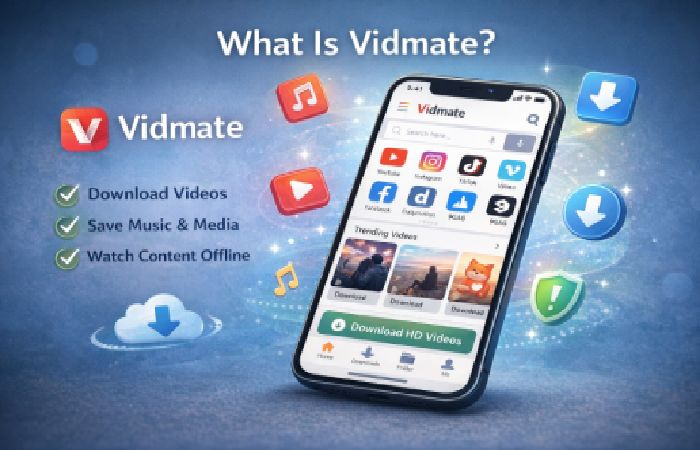
VidMate is a third-party Android app that allows users to:
- Download videos from various platforms
- Save music and media files
- Watch content offline
Unlike apps on the Google Play Store, Vidmate is not officially listed due to policy restrictions.
Who Should Use Vidmate (And Who Shouldn’t)
Best for:
- Users with limited internet access
- People who want offline viewing
- Beginners looking for simple download tools
Not ideal for:
- Users concerned about security risks
- People who prefer official apps
- Those unfamiliar with APK installations
Why it matters
You don’t need separate apps for each platform.
2. Multiple Format Options
Choose from:
- MP4 (video)
- MP3 (audio)
- HD formats
This flexibility is one of its biggest strengths.
3. Fast Download Speeds
Vidmate uses multiple connections to speed up downloads.
Real-world benefit
Less waiting, especially on slower networks.
4. Built-in Media Player
You can watch videos directly inside the app.
No need for third-party players.
5. User-Friendly Interface
Even beginners can navigate easily.
No technical knowledge required.
Benefits of Using Vidmate
- Offline access to content
- Saves mobile data
- Easy to use
- Supports multiple formats
- Fast downloads
Drawbacks You Should Know
Let’s be real—Vidmate isn’t perfect.
Major concerns
- Not available on official app stores
- Potential security risks
- Ads can be intrusive
- Legal issues depending on usage
How to Download Vidmate (Step-by-Step)
Important: Since Vidmate isn’t on the Google Play Store, you must install it manually.
Step 1: Enable Unknown Sources
Go to:
Settings → Security → Enable “Unknown Sources”
Step 2: Download APK File
Search for a trusted source (avoid random websites).
Step 3: Install the App
Open the APK file and install.
Step 4: Start Using
Open the app and search/download content.
Is Vidmate Safe? (Honest Answer)
This is the most important question.
The reality
Vidmate is not officially verified like apps on the Google Play Store.
Risks include:
- Malware (if downloaded from unsafe sites)
- Data privacy concerns
- Unauthorized permissions
How to stay safe
- Download from reputable sources
- Avoid giving unnecessary permissions
- Use antivirus protection
Common Mistakes People Make
- Downloading from fake websites
- Ignoring permissions
- Using outdated versions
- Expecting zero ads
Myths vs Facts
| Myth | Reality |
|---|---|
| Vidmate is illegal | Depends on how you use it |
| It’s completely safe | Safety depends on source |
| It works on all devices | Mostly Android only |
| It replaces streaming apps | It complements them |
People Also Ask
Is Vidmate legal to use?
It depends on what content you download and your country’s laws.
Why is Vidmate not on Play Store?
Because it violates certain content and policy guidelines.
Can I use Vidmate on iPhone?
No, it’s mainly designed for Android devices.
Is Vidmate better than other downloader apps?
It’s powerful, but not always safer than alternatives.
Does Vidmate contain viruses?
The official app may not, but unsafe downloads can.
Practical Tips for Using Vidmate
- Use it only for personal content
- Avoid copyrighted downloads
- Keep the app updated
- Monitor app permissions
Real-Life Example
Let’s say you travel frequently.
Streaming isn’t always possible.
Vidmate helps you download videos in advance so you can watch offline without buffering.
Advanced Insight (What Most Articles Miss)
Here’s something many guides don’t mention:
Convenience vs security is the real trade-off
Vidmate is convenient—but not officially regulated.
So the real question is:
Are you okay managing the risks?
FAQs
1. What is Vidmate used for?
It’s used to download and watch videos offline.
2. Is Vidmate free?
Yes, it’s free to use.
3. Can Vidmate harm my phone?
Only if downloaded from unsafe sources.
4. Is there a safe alternative?
Yes, official apps are safer but may have limitations.
5. Why does Vidmate show ads?
Ads support the free app model.
6. Does Vidmate work offline?
Yes, once content is downloaded.
Conclusion
So, should you use Vidmate?
It depends.
If you value convenience and offline access, it’s a powerful tool. But if security and safety are your priority, you should be cautious.
In the end, Vidmate is useful—but only when used responsibly.