
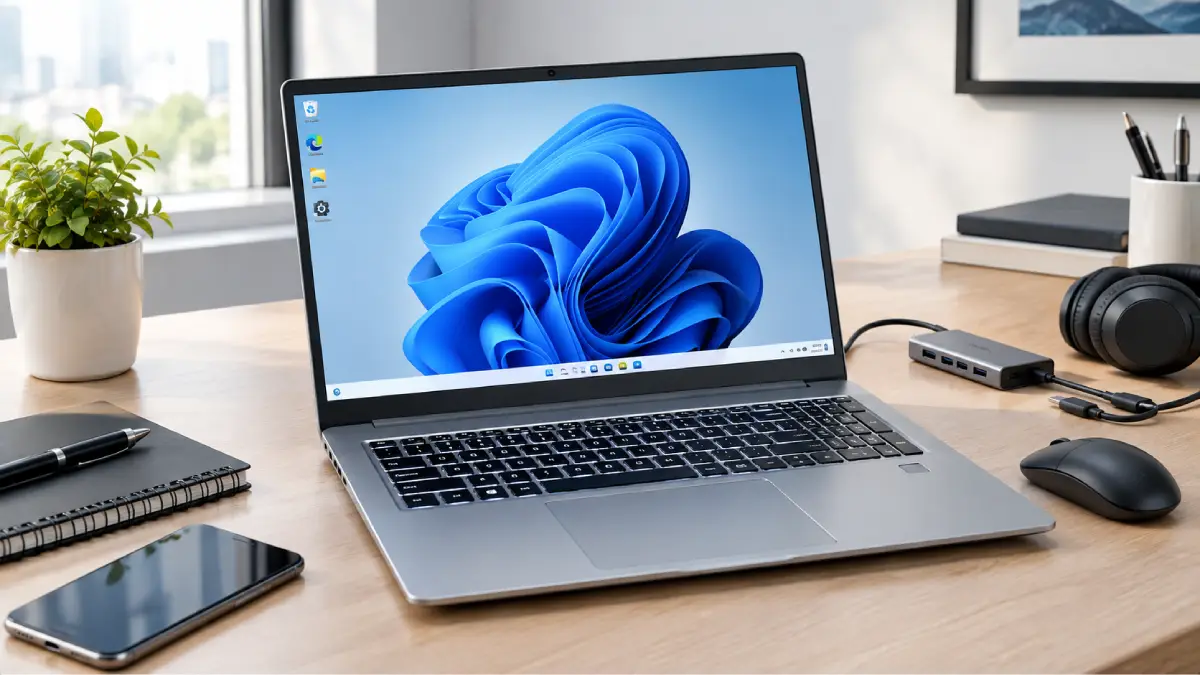
Buying the Nimo 15.6″ FHD N154 i3-1215U There is a catch and that is – it is not one completely fixed specification. If you are looking for the Nimo 15.6″ FHD N154 i3-1215U you are actually looking at a family of different possible configurations. The N154 is built around an Intel Core i3-1215U mobile processor which is part of Intel’s 12th-generation mobile CPU family (Codenamed Alder Lake) and features 6 cores and 8 threads.
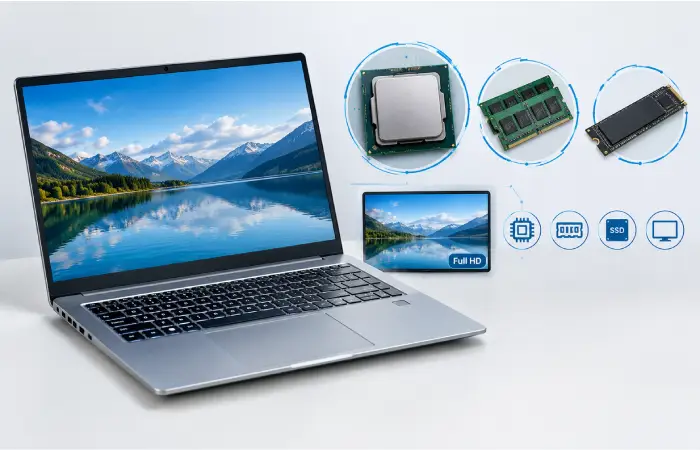
NIMO matches the CPU with a 15.6-inch 1920 1080 display, DDR4 memory, and PCIe storage.
Within the available range of configuration options, you will be able to choose between different amounts of RAM and available SSD capacity. The result is an interesting mid-range product – one that fits in neatly between an entry-level or budget portable and a high-power mobile workstation or gaming laptop.
In real-world use, the details of that will be more important to you if you are comparing individual configurations and spec sheets. But for now, we will explain what the N154 offers, what it feels like in day-to-day use, and what questions you should be asking before buying.
Nimo N154 at a Glance
The N154 is a 15.6-inch Windows laptop designed around a low-power Intel processor. NIMO’s current listing provides several configuration choices, including different RAM and SSD combinations. The manufacturer’s product information states that the memory can be configured up to 64GB and storage up to 2TB.
The processor itself is the Intel Core i3-1215U. Intel specifies six CPU cores consisting of two performance cores and four efficient cores, with eight threads and a maximum turbo frequency of up to 4.40GHz. Its processor base power is 15W.
In practical terms, this is a laptop aimed more at productivity than workstation-level computing.
Typical tasks include:
- Microsoft Office and similar productivity applications
- Web browsing with multiple tabs
- Online meetings
- Streaming video
- School and university work
- Basic photo editing
- Light programming
- General home computing
The exact experience will depend heavily on the amount of RAM and SSD storage selected.
Key Features of the Nimo 15.6″ FHD N154 i3-1215U Laptop
Several features make the N154 more flexible than its Core i3 branding might initially suggest.
15.6-inch Full HD display
The N154 has a 15.6-inch display with a 1920 × 1080 resolution. NIMO’s published specifications list a 60Hz refresh rate and IPS display.
For everyday work, Full HD is still a sensible resolution at this screen size. Documents, web pages and spreadsheets have enough space for normal productivity, while films and streaming content can be viewed at 1080p when the source supports it.
The 60Hz refresh rate is standard rather than gaming-focused. Users looking for a high-refresh display for competitive gaming should look at another class of laptop.
Intel Core i3-1215U processor
The i3-1215U is arguably the most important component in the N154.
Intel lists six cores, eight threads, 10MB of cache and turbo speeds of up to 4.40GHz. The chip uses Intel UHD Graphics and has a 15W base processor power rating.
It is therefore capable of handling everyday multitasking, but it should not be confused with Intel’s higher-tier Core i5 or Core i7 mobile processors.
Upgradeable memory and storage
One useful feature of the N154 is configuration flexibility.
NIMO lists RAM options ranging up to 64GB and SSD configurations up to 2TB. The product information also specifies DDR4 SODIMM memory and a PCIe 4.0 storage interface.
Not every buyer needs 32GB or 64GB of RAM. For ordinary office work and study, 8GB can be workable, while 16GB is a more comfortable choice for heavier multitasking.
Windows 11
The N154 is listed with Windows 11. NIMO also provides N154 documentation and driver downloads through its support website.
That is useful because drivers and operating-system support are often overlooked when evaluating less familiar laptop brands.
Connectivity
NIMO lists Wi-Fi 6, USB-C connectivity, HDMI, USB ports, a headphone connection and a microSD card slot among the N154’s features. The manufacturer also lists a 65W USB-C power-delivery charger for the current model.
The precise port arrangement should still be checked against the exact configuration or revision you are buying.
Nimo N154 Specifications Table
| Specification | Nimo N154 |
| Model | N154 |
| Display | 15.6-inch |
| Resolution | 1920 × 1080 Full HD |
| Panel | IPS |
| Refresh rate | 60Hz |
| Processor | Intel Core i3-1215U |
| CPU generation | 12th Gen Intel Core |
| CPU cores | 6 |
| CPU threads | 8 |
| Maximum turbo frequency | Up to 4.40GHz |
| Graphics | Intel UHD Graphics |
| RAM | DDR4; configurable up to 64GB |
| Storage | PCIe SSD; configurable up to 2TB |
| Operating system | Windows 11 |
| Wireless | Wi-Fi 6 |
| Bluetooth | Bluetooth 5.2 listed in NIMO documentation |
| USB-C | Yes |
| HDMI | Yes |
| microSD | Yes |
| Battery | 53.58Wh listed by NIMO |
| Weight | Approximately 3.7 lb |
| Dimensions | Approximately 14.07 × 8.98 × 0.76 inches |
| Keyboard | Backlit keyboard listed |
| Security | Fingerprint reader listed |
| Webcam | Configuration documentation lists a 2MP camera |
Specifications can vary between configurations and product revisions, so buyers should confirm the exact RAM, SSD, battery and port configuration before ordering.
How the Nimo N154 Performs in Everyday Use
For ordinary productivity, the N154’s hardware makes sense.
The Core i3-1215U has two performance cores and four efficient cores, allowing it to handle a mixture of foreground and background workloads. Intel’s own testing has demonstrated that systems using this processor can handle productivity and content-creation workloads, although those tests were performed on specific systems and should not be treated as a guarantee for every N154 configuration.
In normal use, you can reasonably expect:
Web browsing: Good for everyday browsing, research and online services.
Office work: Suitable for Word processing, spreadsheets, presentations and email.
Video calls: Suitable for common video-conferencing workloads, assuming a stable internet connection.
Streaming: Full HD streaming should be straightforward.
Multitasking: 16GB RAM is preferable if you regularly keep many browser tabs and applications open.
Photo editing: Basic and moderate edits should be manageable, but demanding professional projects can push the system harder.
Programming: Suitable for learning, web development and many lightweight development environments. Large builds and virtual machines are more demanding.
The key point is that processor performance and overall laptop performance are not the same thing. RAM capacity, SSD speed, cooling, software configuration and workload all influence how a laptop feels in actual use.
Nimo N154 Performance Expectations: What It Can and Cannot Do
It is easy to see “4.4GHz” in a specification sheet and assume the laptop is extremely fast. That would be misleading.
The 4.4GHz figure is the processor’s maximum turbo frequency under suitable conditions. It does not mean every application will run at 4.4GHz continuously. Intel also lists the i3-1215U with a 15W processor base power, while actual behaviour depends on the laptop’s thermal design and power settings.
For everyday users, the realistic expectation is a responsive machine for ordinary workloads.
It is less appropriate for:
- Large professional video-editing projects
- 3D rendering
- Heavy CAD workloads
- Long-running CPU-intensive simulations
- Serious workstation use
- Modern AAA gaming at high settings
This is not a criticism of the N154. It simply places the laptop in the correct performance category.
Nimo N154 Gaming Suitability

The N154 can handle some light gaming, but gaming should not be its primary reason for purchase.
The i3-1215U uses integrated Intel UHD Graphics. Intel lists the GPU with a maximum dynamic frequency of up to 1.10GHz.
That means the laptop does not have the dedicated graphics hardware normally found in gaming laptops.
Games it may suit
Depending on the game’s optimisation and chosen settings, the N154 may be appropriate for:
- Older PC games
- Lightweight indie games
- Browser games
- Strategy titles with modest graphics requirements
- Older esports-style games at reduced settings
Games it is not designed for
Modern graphics-heavy games are a different matter.
You should not buy the N154 expecting desktop-class gaming performance in demanding AAA titles. Integrated graphics share system resources and are considerably less capable than dedicated GPUs designed specifically for gaming.
For gaming, a laptop with a dedicated NVIDIA or AMD GPU would generally be a better choice.
Battery Life and Build
NIMO’s product information lists a 53.58Wh battery and publishes mixed-use and maximum runtime figures. However, battery estimates should always be treated as reference values rather than guaranteed real-world results.
Battery life can change considerably depending on:
- Screen brightness
- Wi-Fi activity
- Number of browser tabs
- Video playback
- Background applications
- Power mode
- CPU workload
- Battery condition
- Ambient temperature
For instance, typing up files with the backlight fairly dim can be a lot easier than running CPU heavy programs and streaming video. Total weight approximately 3.7 pounds (approx. 1.68kg) Chassis dimensions (mm) 350.0 x 270.0 x 21.0 x 36.0 Sorry that’s not a typo; the dimensions are quite large at 14.07 8.98 0.76 inches. That puts it in a fairly standard 15.6-inch laptop size with the rest being an ultra-light 13-inch ultraportable.
Nimo N154 Pros and Cons
Pros
- 15.6-inch Full HD display
- 12th-generation Intel Core processor
- Six CPU cores and eight threads
- Configurable RAM and SSD options
- Windows 11
- Wi-Fi 6
- USB-C connectivity
- Backlit keyboard
- Fingerprint reader listed
- Relatively straightforward productivity-focused design
- Storage can be configured substantially higher than the entry-level option
Cons
- Integrated graphics limit serious gaming
- 60Hz display is not aimed at competitive gaming
- Core i3 processor is not ideal for demanding workstation workloads
- Battery estimates may differ considerably from real-world usage
- Different configurations can make direct comparisons confusing
- Less established brand recognition than major laptop manufacturers
The final point is particularly important. A laptop should be evaluated not only by its specification sheet but also by warranty terms, return conditions, support availability and the exact seller.
Who Should Buy the Nimo N154?
The N154 makes the most sense for users who want a general-purpose Windows computer.
It can be considered by:
Students
A 15.6-inch Full HD screen provides useful space for research, assignments, presentations and online classes.
Office users
The i3-1215U is appropriate for everyday productivity, particularly when paired with 16GB RAM.
Home users
For browsing, streaming, email, online shopping and general household computing, the specification is more than adequate for many users.
Remote workers
A suitable configuration can handle browsers, office applications, video meetings and communication tools without requiring a high-end processor.
Buyers who value upgrade flexibility
The ability to configure more RAM and storage is useful for people who expect their requirements to increase.
Who Should Avoid the Nimo N154?
You may want to consider a different laptop if your main purpose is:
- AAA gaming
- Professional 4K video editing
- Advanced 3D modelling
- Professional animation
- Heavy engineering software
- Frequent virtual-machine workloads
- Large-scale data processing
In those situations, a stronger Core i5/Core i7, AMD Ryzen 5/Ryzen 7 or a laptop with a dedicated GPU may be more appropriate.
Is the Nimo 15.6″ FHD N154 i3-1215U Laptop Legitimate?
The N154 is an identifiable NIMO laptop model rather than an unknown product name appearing only on third-party listings. NIMO has an official product page for the N154 and a separate support page containing operating-system information, drivers and a manual download.
That said, legitimacy and suitability are two different questions.
Before buying, check:
- The seller’s exact product name.
- Whether the laptop is new or refurbished.
- The precise RAM and SSD configuration.
- The warranty period.
- The return policy.
- The included charger.
- The operating-system licence.
- Whether the configuration matches the advertised specification.
NIMO’s official listing currently presents both configuration choices and warranty/return information, but terms can change, so buyers should verify them at checkout.
For technical support, NIMO also maintains an N154 manual and driver page.
Nimo N154 vs Typical Alternatives
Rather than comparing only brand names, it is more useful to compare the type of machine you need.
| Use case | Nimo N154 | Typical Core i5 laptop | Gaming laptop |
| Web browsing | Very suitable | Very suitable | Suitable |
| Office work | Suitable | Very suitable | Suitable |
| Online classes | Suitable | Very suitable | Suitable |
| Heavy multitasking | Better with 16GB+ | Usually stronger | Strong |
| Basic photo editing | Suitable | Better | Very good |
| Video editing | Basic/moderate | Better | Strong |
| AAA gaming | Limited | Depends on GPU | Best option |
| Portability | Moderate | Varies | Usually lower |
| Graphics performance | Integrated | Integrated/dedicated depending model | Dedicated GPU |
| Typical buyer | Student/home/office | Productivity/power user | Gamer/creator |
This table is intentionally broad. A particular Core i5 laptop can be slower or faster than another depending on its generation, cooling system, RAM, storage and GPU.
A Simple Nimo N154 Buying Workflow
If you are considering this laptop, use this process rather than buying based only on the processor name.
Step 1: Identify your workload
Write down what you actually do.
If your day consists of Chrome, Microsoft Office, email, Zoom or Teams and streaming, the N154 is in the right general category.
Step 2: Choose RAM carefully
A middle ground for a modern Windows machine, if your budget is able to stretch that far: 16GB. 8GB will be enough for more modest use cases, while 32GB (or more) is mostly only beneficial for very heavy multitasking and specialist use cases.
Step 3: Choose storage based on your files
256GB can become restrictive if you store many photos, videos and applications.
512GB is a more comfortable general-purpose option, while 1TB or more makes sense for large media libraries and heavier storage requirements.
Step 4: Check the exact configuration
Do not assume every N154 has identical hardware.
NIMO’s current product pages show multiple RAM and SSD choices.
Step 5: Check warranty and returns
A lower purchase price is less attractive if support and returns are difficult.
Step 6: Compare the total package
Consider the display, RAM, SSD, processor, battery, ports, warranty and price together.
Alternatives to Consider
The best alternative depends on what you are trying to improve.
For stronger productivity
Look for a modern Core i5 or Ryzen 5 laptop. These processors generally provide more headroom for heavier multitasking.
For gaming
Choose a system with a dedicated graphics processor. An entry-level gaming GPU can make a much larger difference to game performance than simply increasing RAM.
For portability
A 14-inch laptop may be more convenient if you regularly carry the computer between home, university or work.
For professional creative work
Look for a machine with a stronger processor, more memory and a dedicated GPU, particularly if you use Premiere Pro, DaVinci Resolve, Blender or similar applications.
Buying Tips for the Nimo N154
Before placing an order, use this checklist:
The RAM: Don’t assume the advertised model comes with the amount you need.
The SSD: 256GB, 512GB, 1TB and 2TB configurations offer very different amounts of usable space.
Whether it is new or refurbished: NIMO also sells refurbished N154 units, so read the listing carefully.
The warranty: Confirm what is covered and for how long.
The return policy: This is particularly important when buying from a lesser-known laptop brand.
The keyboard layout: This can matter if you are purchasing from another country.
The charger: Confirm that the included charger is suitable for the exact model.
The display: Confirm the panel, resolution and refresh rate rather than relying only on “15.6-inch FHD”.
The seller: Make sure the product listing is from a reliable seller and that the model number matches N154.
Nimo N154 Expectations: The Most Important Takeaway
The N154 should be viewed as a general-purpose Windows laptop, not as a gaming workstation or professional creator machine.
Its strongest qualities are its large Full HD display, 12th-generation Intel processor, configurable memory and storage, and useful everyday connectivity.
The Core i3-1215U is capable of ordinary productivity, but the integrated graphics place a clear ceiling on gaming and GPU-intensive workloads. Intel itself identifies the processor’s integrated graphics as Intel UHD Graphics, while its published specifications show a 15W base processor power rating.
A configuration with 16GB RAM and a 512GB or larger SSD is likely to be a more comfortable choice for users who expect to keep the laptop for several years, provided the price remains competitive.
The key is to buy according to your workload rather than the model’s headline specifications.
Frequently Asked Questions
What is the Nimo 15.6″ FHD N154 i3-1215U laptop?
The Nimo N154 is a 15.6-inch Windows laptop using Intel’s 12th-generation Core i3-1215U processor. It features a Full HD display and configurable RAM and SSD storage, with NIMO listing options up to 64GB RAM and 2TB storage.
Is the Nimo N154 good for students?
Yes. Its 15.6-inch Full HD screen, Windows 11 support and Core i3-1215U processor make it suitable for many student tasks, including research, documents, presentations, video calls and online learning.
Is the Nimo N154 good for gaming?
It is suitable mainly for light or older games. Its integrated Intel UHD Graphics are not intended to compete with dedicated GPUs in modern gaming laptops.
How much RAM should I choose?
For basic use, 8GB can work. For a smoother experience with many browser tabs and applications, 16GB is a more sensible target. Higher capacities are useful for specialist workloads rather than ordinary browsing and office work.
Can the Nimo N154 handle video editing?
It can handle lighter editing tasks, but it is not an ideal professional video-editing workstation. Large 4K projects, complex effects and long exports are better suited to laptops with stronger processors and dedicated graphics.
Does the Nimo N154 have an SSD?
Yes. NIMO’s product specifications identify PCIe SSD storage, with configurations available up to 2TB.
Does the Nimo N154 support Windows 11?
Yes. NIMO lists Windows 11 as an operating-system option and provides N154 driver and manual resources through its support site.
Is the Nimo 15.6″ FHD N154 i3-1215U laptop worth buying?
It can be worth considering if you need an affordable general-purpose Windows laptop and the exact configuration offers good value. It is less suitable if your priority is high-end gaming, professional creative work or workstation performance.
Is the Nimo N154 a good laptop for office work?
For documents, spreadsheets, web applications, email, presentations and video meetings, the N154 is in an appropriate performance category. Choosing 16GB RAM can make heavier multitasking more comfortable.
Does the Nimo N154 have a fingerprint reader?
NIMO’s published specifications and documentation list a fingerprint reader among the laptop’s features.
Conclusion
Note: The Nimo 15.6″ FHD N154 i3-1215U should be viewed as a practical, everyday Windows laptop rather than a gaming machine or workstation powerhouse. The combination of 15.6″ Full HD screen, 12th-gen Core i3-1215U CPU, configurable RAM and SSD choices, Wi-Fi 6 and USB-C port make this a useful set of features for students and home users and the office worker.
The main drawback is graphics performance: the use of integrated Intel UHD Graphics means this is not a gaming or GPU-heavy creative work device.
If your workload is browsing, documents, online meetings, streaming, studying and mundane multitasking, the N154 can add value when configured for your needs. For heavier work, compare it with a current Core i5 or Ryzen 5 model, preferably one with a dedicated GPU for graphics muscle.
Be sure to compare the exact RAM, SSD, battery life, warranty and pricing configuration before you buy; the N154 is available in a number of configurations, so the model number alone does not always indicate what you are getting.