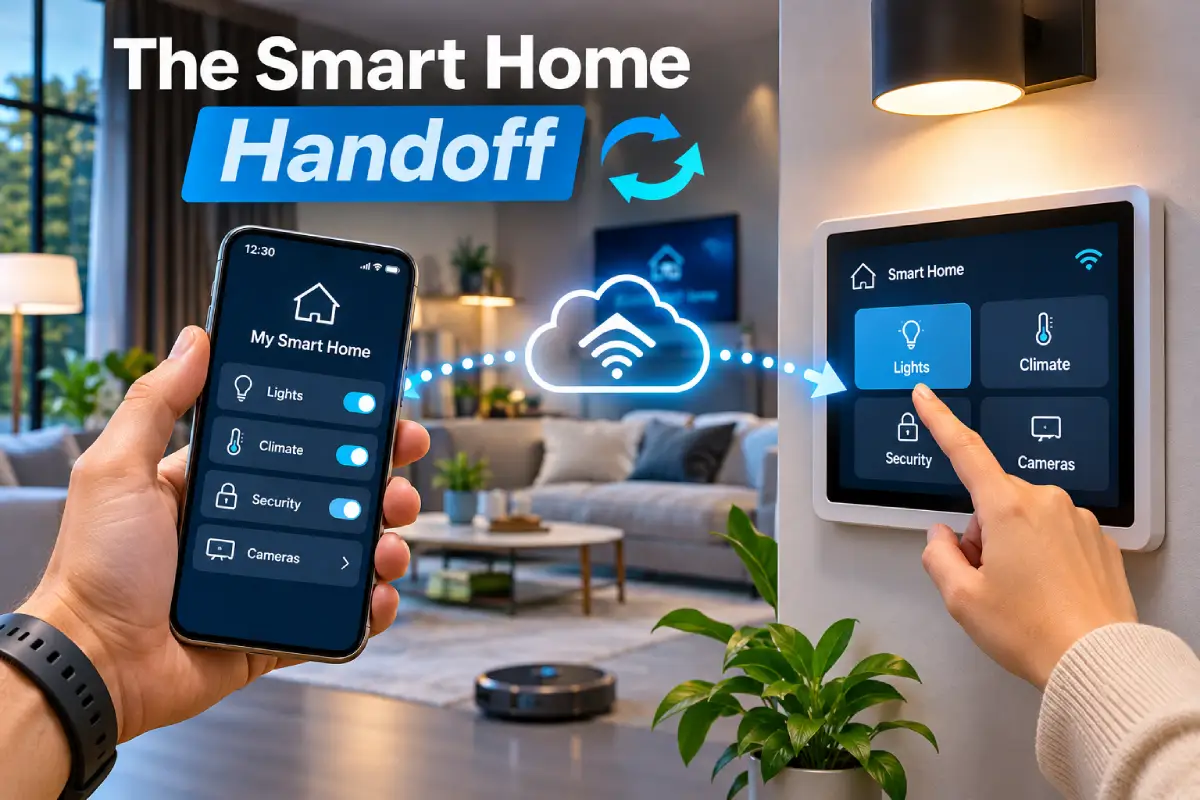
The Smart Home Handoff: What Happens to Cloud-Connected Devices When a House Is Renovated, Flipped or Sold – Keys, garage door fobs, instructions and so on will generally all be left for the next homeowner. All sorts of other features of the home will be linked to various cloud services and the seller’s login details: thermostat, doorbell, one or more security cameras, smart lock, garage doors, lawn irrigation and so on.
It would be quite easy to overlook all of these in an ordinary house sale, and there are even more considerations if there has been substantial work to the property. Many different people will have been in and out, all sorts of changes made to the structure and to the cabling and set-up. Numerous features and appliances may well continue to feed information to, and be controllable by, an unknown number of third parties. Below is an overview of issues that can arise at different times, and some precautions.
Cloud-based appliances and features
Virtually all such products and systems will continue to be associated with a customer account with the relevant supplier. Merely disconnecting the appliance, resetting the Wi-Fi password and otherwise camouflaging it will be of no avail. So long as it has not been de-registered by the original user or reset, there is a good chance that, for example, past images can be accessed from a security camera, temperature readings and programming accessed and altered, notifications sent and even doors opened. Conversely, the current homeowner will probably find themselves unable to access and operate many appliances around the house. It is common that they will be unable to register with them if another user is already associated, leading to much time spent speaking to various helplines after completion, or removal of quite serviceable apparatus.
Purchase of the property
As mentioned, this could be quite problematic straight away, particularly if buying a distressed property from an absentee, elusive or deceased owner.
“There frequently will not be an owner available to provide log-in details to various apps for the many appliances in these types of properties, or it will be an estate,” says Jonathan Carcone, Principal with 4 Brothers Buy Houses. “As a matter of course we look for and record details of all such appliances on our initial visit, and reset all we wish to retain prior to commencing any work. Anything else we remove, as we don’t want to run the risk of somebody having continued access, for example to a door lock, just to keep a relatively inexpensive appliance such as a thermostat.”
There are a wide variety of possibilities, some of which may be easy to overlook, including:
- Various thermostats, doorbells, cameras, locks
- Garage doors, gates
- Lawn irrigation, pools, spas
- Smoke alarms, water leak detectors
- Various central units, which may be located anywhere, for example with other cabling or in a cupboard
- Ovens, washing machines, hot water units, and others.
Work on the property
There will be all manner of equipment used and installed during the course of works, such as cameras, internet access, various detectors, access codes to enter and so on. It is also very easy for pre-existing items to be overlooked.
“There are obviously many visitors to the site and nobody residing there. All equipment used for the project should ideally be via separate internet access, with codes changed as various people complete their element of works. I think it is very common to assume all these various items are simply ‘part of the house’. For example an electrician may remove an existing thermostat, complete their work and reinstall it, with no idea whose details it may be linked to. All these items should therefore be specifically identified and either appropriately reset for the new user or removed, as applicable,” says Matt Garrett, CEO of Rise Renovation.
It would also be sensible, given the ease of access to various areas of the building, to provide:
- An appropriate area, ideally with adequate air-flow, electricity and direct cable to house all relevant equipment
- Cabling direct to various locations around the house to facilitate later addition of equipment, in particular security cameras or additional Wi-Fi access points
- Preferably appliances compatible with the Matter protocol. This is supported by many of the major suppliers and would facilitate wider compatibility with other systems and possibly eliminate the requirement to access cloud services.
- Identification of relevant cabling and equipment, ideally on a diagram attached inside an appropriate access panel.
Rentals
All of the above issues will apply each time there is a change of tenants. If let on a short-stay basis, there are restrictions imposed by some of the providers. In particular, Airbnb does not permit any internal cameras, even if not in operation. Cameras facing externally and devices to measure noise levels are permitted, subject to advising prospective guests before they book.
“Obviously we would want to retain control of all such devices over any properties we rent out, so all are registered to appropriate corporate logins. We would therefore continue to benefit from any associated services following any change of staff and retain all on any subsequent sale of the relevant property. Various ongoing costs would be included in our budgeted running costs and checked annually to ensure we weren’t inadvertently continuing to pay, for example, for downloaded images from properties no longer owned. Obviously we would change any codes with each change of tenant. Of course, if there has been some issue with the tenant, changing codes alone may not be enough,” says Krixelle Sant, Co-Founder and Chief Financial Steward of Kind House Buyers.
Sale
Ideally, whichever type of seller, all relevant appliances should be accessible to and controllable by the buyer, without the necessity of contacting others. Therefore:
- De-register all relevant equipment via appropriate app and reset
- Ensure any associated service contracts are transferred or cancelled
- Delete information recorded to date, as appropriate
- Provide details of appliances and their location, how to reset, and so on
- Leave any central units, associated equipment, power supplies and so on
- Change and close down existing Wi-Fi, and make login details available for the existing router
Not only are purchasers increasingly aware of the desirability of such information, but it also reflects well on the overall standard of the work completed according to Garrett. Carcone similarly feels it is desirable to have functioning equipment, for example a video doorbell and thermostat, as part of the overall presentation, “but only if readily accessible and operable by the buyer, otherwise it could be seen as a negative”.
Actions for buyer
Obviously, regardless of assurances, all relevant equipment should be identified and reset on or soon after completion, all codes changed on, for example, garage door and any locks, all existing users deleted and details of the router changed, including the log-in to access its functions. It would also be prudent to check each applicable app to ensure no other users had access.
Conclusion
There can now be quite a significant list of features around the house dependent on cloud access. On any change of use or ownership of the property, due thought needs to be given to providing appropriate access to others or terminating existing users. It seems that minimal effort and outlay by purchasers and improvers of properties could avoid substantial problems for themselves and others in future.